Perfect Binding

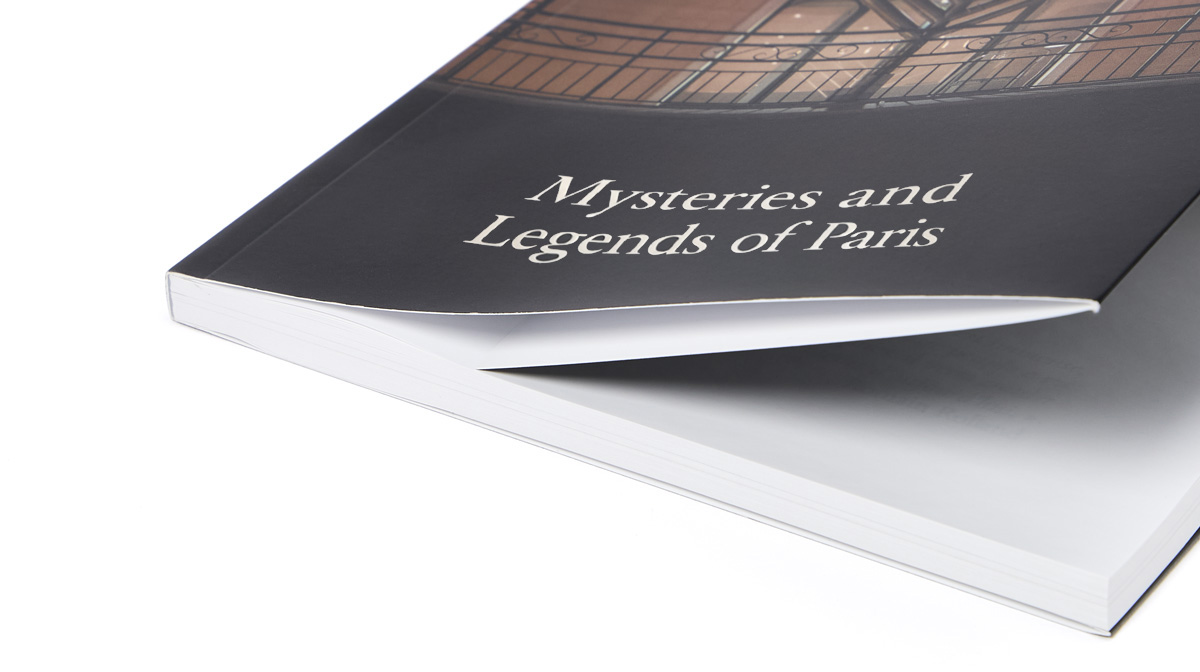
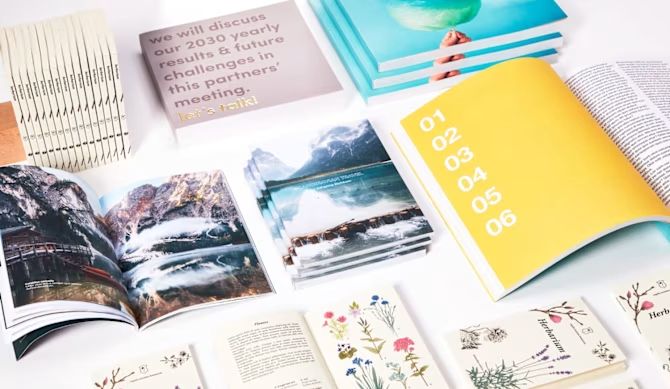
When you think of a book or catalogue, Perfect Binding probably comes to mind. It’s the most popular binding method, where the inside pages are neatly glued to the cover. The easiest and most affordable way to print your project, whatever its content is! 

Print your business documents with us: company profiles, product or services’ catalogues, or price lists, in any language you need. Choose perfect binding to publish all your ideas: can be a novel, a dissertation or an art book collecting your creations, our perfect binding will give shape to your hard work. 

Personalise dimensions, number of pages and paper to create your fully customised book; print the title on the spine to have it clearly recognisable even on a shelf. Want to make it truly unique? Add a hardcover or a special finish to the exterior for a personalised touch.  

Imagine your book, and we'll make it a reality! 

WE HELP YOU CHOOSE THE RIGHT PRODUCT!
  • Closed format: first select the closed format of your publication. Choose between standard formats or customise it as you prefer: from 10x12 cm to 29.7x29.7 cm, create your fully personalised perfect binding and stand out with a non-conventional size: surprise your readers with a squared or a stretched format (for hardback covers, this option is available starting from 150 copies)

  • Orientation: figure your printed book closed and then select vertical or horizontal layout. The binding is always made on the left side of the closed format. If your publication is in a right-to-left script (like in RTL languages), make sure to design your graphics with the content flowing from the end to the beginning 

  • Number of pages: insert the total number of pages (it must be minimum 20 and a multiple of 2) including the cover (4 pages). Example: if you have 50 inside pages, the total number of pages must be 54, as the cover always counts as 4 (if you don’t want to print the inside cover or if you’ve chosen the hardcover with non-printable inside cover, remember that white pages still count in the configuration)


  • Cover: we offer you three cover types:


  1. Paperback: printed on the paper chosen and with the highest grammages available. You can print the front and back, as well as the inside front and inside back. If you don’t need any content on the inside cover, just add a blank page. As explained in the instructions provided, the internal spine can’t be printed to ensure the adhesion of the inside pages to the cover


  1. Paperback with flaps: available only for certain formats, their design is completely customisable both inside and out. The dimensions depend on the format of your book and can range from a minimum width of 10 cm to a maximum width of 19.5 cm. When you download the template, the corresponding areas will already be marked


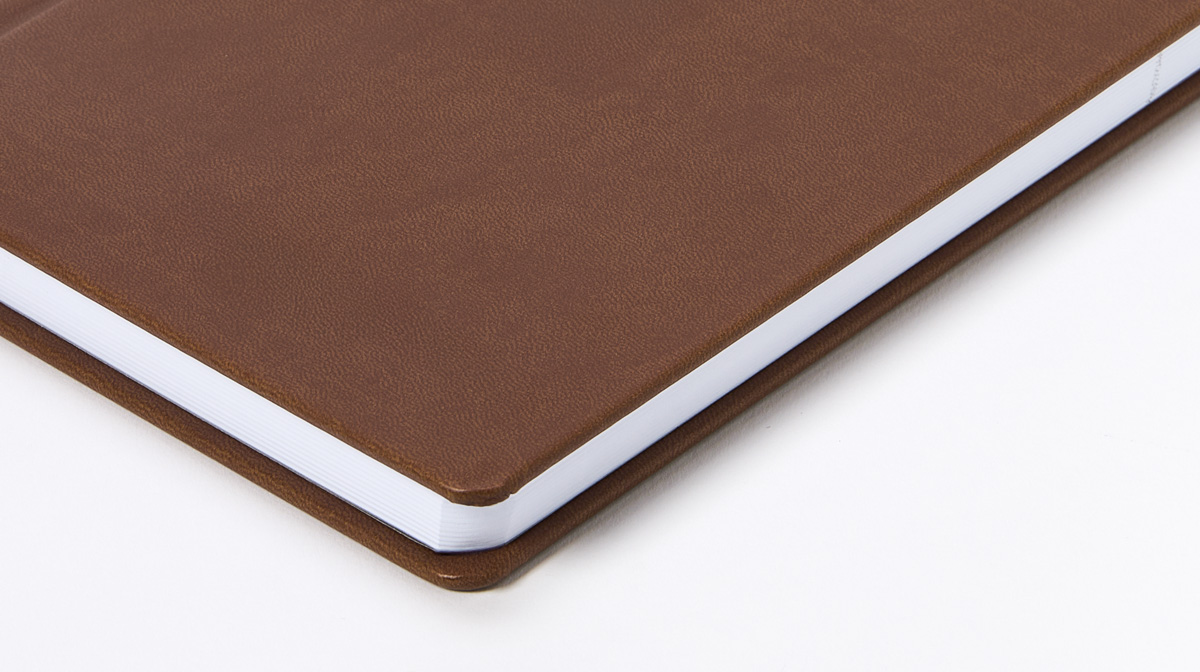
  1. Hardback: consists of a 2 mm thick cardboard core cover with 170 gsm matt coated paper. Lamination on the external cover is mandatory: choose between gloss, matt or soft touch effect. Endpapers are made of 160 gsm white Extraprint paper and consist of a double-size sheet folded: one half is pasted against the inside cover and the other half serves as the first free page before your graphics (the same applies to the inside back cover). By default, endpapers for hardcover books are white and non-printable; however, for A4 and A5 hardcover formats, you can choose to fully personalise them starting from 25 copies

Hardback cover ensures a professional and elegant look to your book or catalogue.

Test the product by ordering a single copy, then take advantage and surprise your audience with these sophisticated options 

The spine dimension will automatically be displayed at the end of the quote once you’ve selected the paper type and grammage. Be sure to consider this when designing your cover graphic (you can find more detailed information in the instructions document on the product page). The template is updated following the quote details: download it and find the spine already marked.

  • Paper: choose between coated (standard) and premium papers and select the grammage that best suits your needs among the ones available. Please note that it is not possible to print the inside pages in very high grammages, nor to print the cover on thin papers. 

We offer the possibility to print cover and inside pages with different paper types and weights. The paperback cover is printed on high grammage papers and is frequently laminated. Adding lamination to coated paper is recommended to protect the print from scratches and liquids. 

Furthermore, lamination adds a touch of elegance to your publication, enhancing colours and providing a polished effect. If you opt for a hardback cover, the external paper is always laminated. 

For your hardcover perfect binding, for orders starting from 501 copies, you can also select the following additional options, available for specific combinations of formats and page number (from 104 pages for rounded corners and from 240 pages for the other options):

  • Rounded corners: applied to both the cover and the internal pages, with a 6 mm radius
  • Endbands: decorative woven elements attached to the upper and lower ends of the book's spine to enhance its appearance and strengthen the binding, available in six colors (red, blue, white, yellow, green, and black)
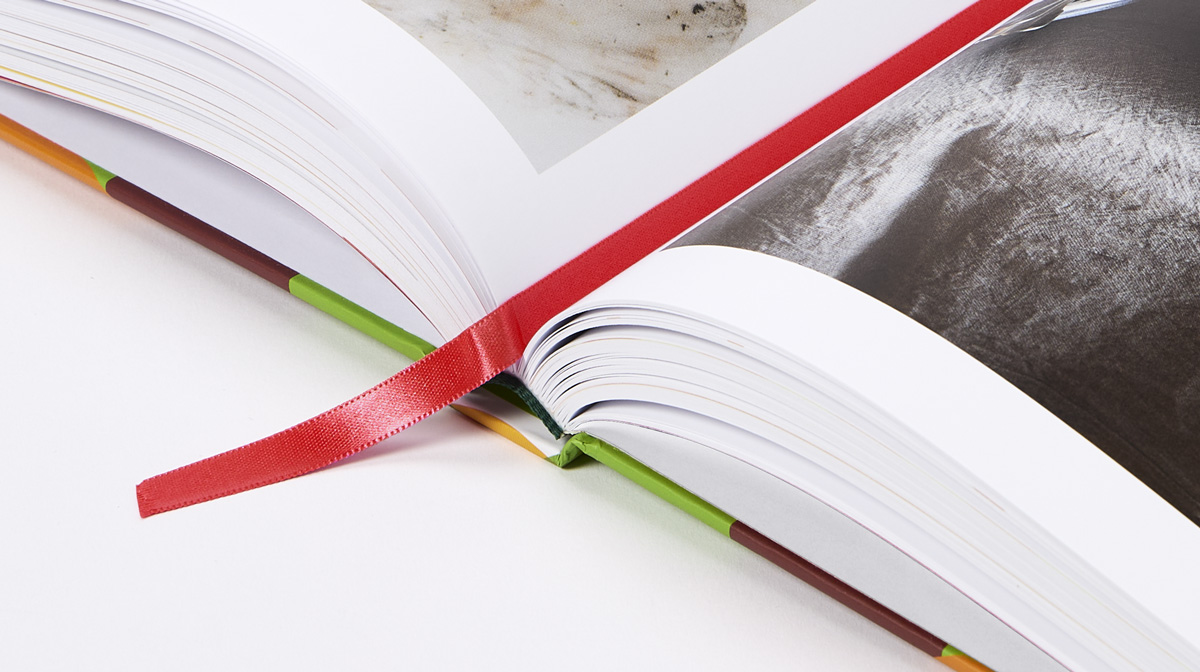
  • Bookmark: a 4-mm braided ribbon attached to the top of the inside of the book's spine, available in six colors (red, blue, white, yellow, green, and black)
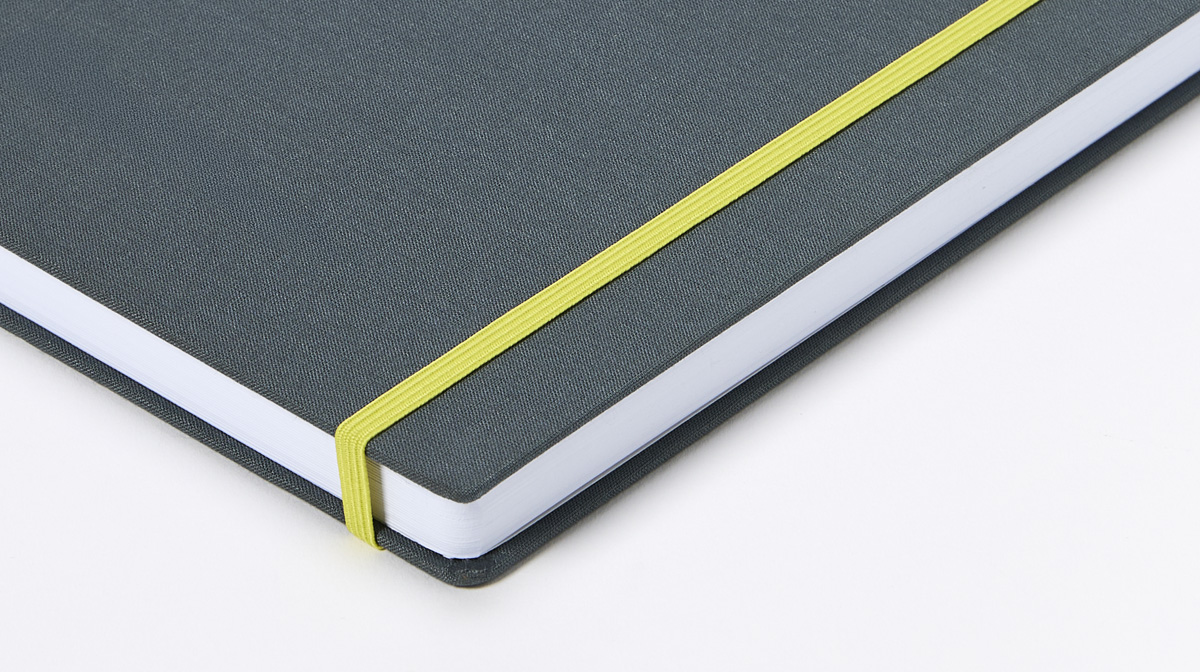
  • Elastic fastening: a 5-mm flat elastic band attached to the back cover and wrapped around the front cover, available in six colors (red, blue, white, yellow, green, and black)

Want to make your book stand out with a unique cover effect? Add a Special finish to the outside of your book —available for both paperback and hardback covers. This option is perfect for giving your book a one-of-a-kind look! 

Please note that special finish option is only available on coated paper.

Otherwise, you can also obtain a distinguished look by picking a textured or special effect paper and mixing different materials.


Remember to use only non-coated and smooth paper in case you need to take notes on your printed product. For a deep dive into our papers’ world check this article. 

If you need to print a shorter publication, stapled binding is the best choice for you. please have a look also at our wire-o binding page to discover a flexible and versatile alternative to print your documents.

FIND OUT MORE

  • Click on the the "i" icon for detailed descriptions of the papers (with pictures) 

  • Looking to get a printed proof before ordering your perfect binding? Order one copy and get a promocode for the value of your spend to purchase the same product! Find here more details  

  • When in a hurry to find the right solution, let us help you choose the best option for your book binding among many others in just a few clicks. Here you will find lots of fully customisable proposals to meet your needs for your publishing 

  • If you’re looking for an even more elegant and refined solution, we also offer sewn binding to create a premium edition of your book. Sewn binding books are available from 200 copies and above. Otherwise, you can have a look at this page and select sewn binding type to print your book starting from 10 copies (please note that in this case the inside pages are necessarily printed in black and white, ideal for textbooks, not for printing images) 

  • Complete your book look with a bookmark, a sleeve or a book box

  • We also offer perfect binding for large print runs ideal to spread your advertising both by post and door-to-door. Their lightweight paper makes them weigh much less than other types of magazines, meaning they are easier to transport and leaflet. This is the best option for supermarkets and shops in need to print periodical catalogues

  • With Magazoo, your creations find a home in a sturdy, fully customisable honeycomb cardboard magazine rack shaped like an animal. Choose your favourite among a cat, dog, sheep, pig or elephant to set up your stand or point of sale, and enjoy customising your design with Designer. You can choose from a wide range of backgrounds and images that will help you create your creative project in just a few clicks!

  • Thanks to the design upload and preview service, you can upload your file in just a few seconds and get a print-ready result without any worries. We automatically check your file and fix minor issues for you, while also allowing you to make some adjustments directly online, so you can proceed with printing your perfect binding in complete peace of mind. You can also view a realistic preview of your book as it will be printed and flip through it page by page, just as if you were holding it in your hands. This makes it even easier to review everything and go to print with no surprises. For more information, we recommend reading this article

WHERE/WHEN CAN YOU USE IT

Where
  • Public and private office
  • Stores 
  • Museums 
  • Bar and restaurants 
  • Schools, sports and cultural associations
When
  • Product or service presentations
  • Trade fair  
  • Company events 
  • Wedding
  • Party – gifts exchanging
BOOKS & MAGAZINES (marked with the Image1.png ) ARE USUALLY COMBINED WITH...

mockup-PIX-desk_final_Books.png

1. Flyers & Folded Flyers

2. Stationery 

3. Business cards

4. Calendars & Diaries

5. Invitation cards

6. Labels & Stickers

7. Displays

8. Signage

9. Posters

10. Promotional items 

FAQ

  • Is it necessary to wait before using a perfect binding (glue-bound)?
Yes, we recommend letting the book rest for at least 24 hours after delivery. This allows the glue used for binding to dry and properly set, ensuring greater strength and durability over time.
  • Do you offer cover with flaps? 

Cover with flaps is available for both perfect and sewn binding, depending on the selected book format. For more information, we recommend downloading the instructions and template. For sewn binding, click here for 200 copies and above, or here for 10 copies and above. 

  • Is it possible to add a special finish also on the spine? 

Yes, it is possible. It is necessary to leave a gap of at least 3 mm from the fold lines, to avoid cracking on the finishing. In general, special finish must be at least 3 mm from the edge (cut line). Please read the instructions available on the product page for more details. 

  • Is it possible to add tabs or dividers within a perfect binding? 

No, it’s not possible to add pages of different dimensions or dividers to the product. 

  • Are your perfect binding publications offset or digital printing? 

We rely on different printing methods (digital or offset) and therefore different printing machines depending on the quantity, the chosen paper type and many other variables. Nonetheless, we guarantee both methods allow high print quality. 

  • Do you offer black and white printing for books? 

If the file you upload is only black and white, we’ll print it as it is in CMYK. For sewn paperback books the inside pages are mandatorily printed in black and white: we only recommend selecting this option for texts, not for printing images. 

  • Why isn't the spine of my hardcover book glued to the cover?

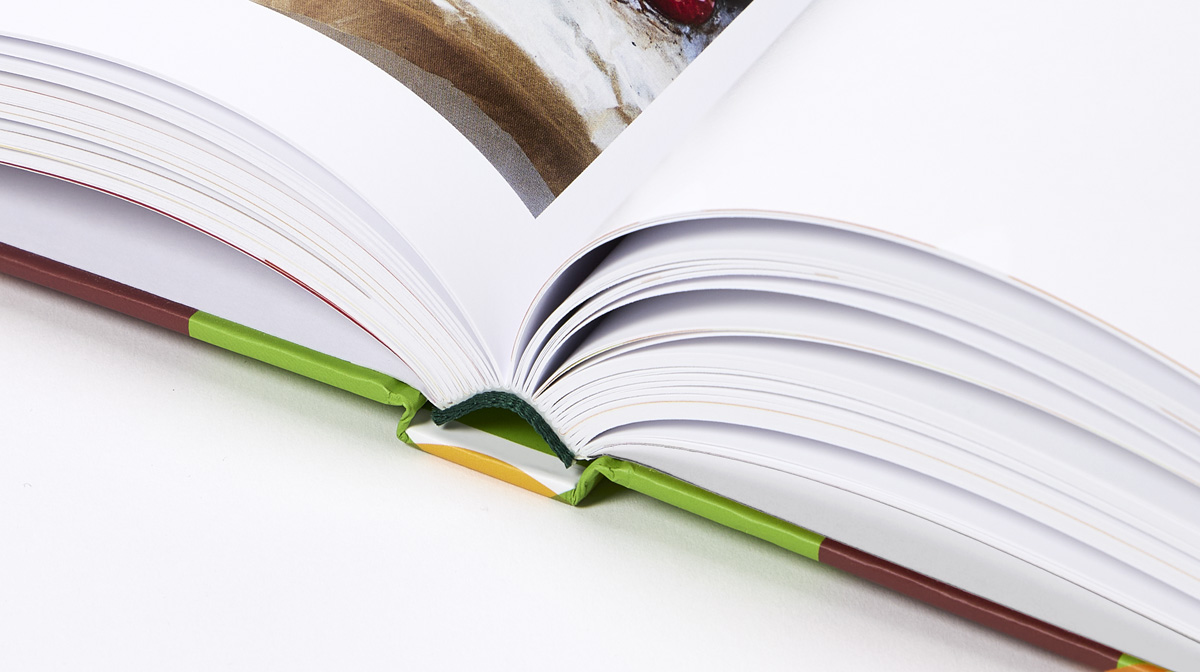
In high-quality hardcover books, the block of the internal pages is not glued directly to the spine of the cover, but is instead fixed using the endpapers (the sheets attached to the inside of the cover). This technique allows the book to open easily without strain and ensures greater durability over time. The visible gap between the spine and the cover is therefore a natural characteristic of this binding method, necessary to provide greater flexibility.

  • How can I create my design?

At the moment, the Designer tool to create the layout from scratch is not available for this product. However, on the product page, we provide instructions and template to create a print ready file on your own (with a design software). Thanks to the new preview service, you'll still be able to make some minor adjustments to your file before printing.

If you need any help editing or creating your book, have a look at our Design services. Please note that for this product, the design service needs to be purchased directly on the product page and the service quote will automatically be displayed once you have filled in the product features.  

Was this article helpful?
1 out of 1 found this helpful